



















What's the difference between Flowout and Designify?
Flowout is a Webflow agency. It describes itself as a Webflow Enterprise partner, focuses on B2B SaaS and enterprise marketing teams, and sells ongoing monthly plans for Webflow design and development, alongside services such as SEO, conversion work, migrations and integrations. Designify is a small studio where one team writes the copy, designs the pages and builds the site on whichever platform fits: Next.js, Framer or Webflow.
So the first question isn't which team is better. It's whether your platform is already decided. If your company runs on Webflow and plans to stay there, a Webflow specialist is a natural shortlist. If you're not sure Webflow is right, or you want the site in code, the platform choice should come first. Our Webflow vs Next.js comparison helps with that decision.
How do Flowout and Designify compare side by side?
Flowout's prices aren't in our research, so we describe its model without numbers. Check their site for current plans and terms. Everything about Designify below is our published offer as of 2026.
Flowout | Designify | |
|---|---|---|
Model | Webflow agency on monthly plans, plus hourly packages | Studio: fixed-price projects or a monthly retainer |
Platform | Webflow only | Next.js, Framer or Webflow |
Typical buyer | B2B SaaS and enterprise marketing teams | Seed to Series B startups |
Copywriting | Offered on some plans (check their site) | Included: we write first, then design |
Pricing | Monthly; check their site for current plans | $3,000 sprint, $6,000 landing page, $8,000 website, $6,000/mo retainer |
Other services | SEO, conversion, migrations, integrations | Migration work scoped on the intro call |
Commitment | Their site says cancel anytime; check current terms | One fixed price per project; retainer monthly |
Try first | Check their site | $1,000 trial week |
Does it matter that Flowout only builds on Webflow?
It matters only if Webflow isn't the right platform for you. Webflow is a strong choice for marketing teams that want a visual editor, a built-in CMS and hosting in one place, and a Webflow-only agency knows its limits and workarounds in depth. For many B2B SaaS sites, that focus is a strength.
A single-platform agency will, understandably, build on that platform. If your site needs app-like features, heavy personalization, a headless CMS or tight links to your product, a code build in Next.js may serve you better. If your team wants to ship pages fast with lots of motion, Framer may fit. We pick the platform per project, and our guides to Webflow development and Next.js development explain when each one wins.
How does the pricing model differ?
Flowout works mainly on monthly plans, where you pay the same amount each month for an ongoing Webflow team, with hourly packages for smaller needs. Designify sells fixed-price projects for defined work and a retainer for ongoing work, so you can buy a website once without signing up for a monthly plan.
- Designify website, up to 6 pages, +$500 per extra page
- $8,000
- Designify landing page, fixed price
- $6,000
- Designify design and development retainer
- $6,000/mo
- Designify trial week
- $1,000
Neither model is cheaper by default. A monthly plan suits a team that ships pages, tests and updates every month. A fixed project suits a startup that needs a new site, then mostly small edits. For reference, 2026 pricing guides from Low Code Agency and Branded Agency put Webflow agency projects at roughly $5k to $80k+ and retainers at about $2k to $12k a month, as typical ranges that vary widely. Our Webflow agency pricing models guide explains the trade-offs, and all our prices are on the pricing section.
Who should pick Flowout?
Pick Flowout if you're a B2B SaaS or enterprise marketing team that has committed to Webflow, wants a dedicated Webflow team on a monthly plan, and needs things like enterprise hosting, CRM integrations and ongoing SEO and conversion work. An Enterprise partner can also help with Webflow's enterprise plan and its governance features.
Pros
- Deep Webflow focus, including enterprise setups
- Monthly plans suit a steady flow of page and campaign work
- Services for SEO, conversion, migrations and integrations
- Built for marketing teams at larger B2B companies
Cons
- Webflow only, so it's the wrong fit if you need code or Framer
- A monthly plan can be more than a one-time rebuild needs
- Pricing isn't in our research, so check their site
- Built for larger marketing teams, which may be more than an early-stage startup needs
Who should pick Designify?
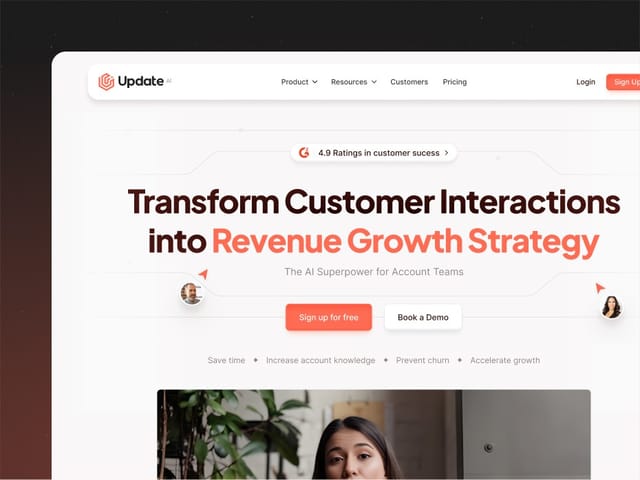
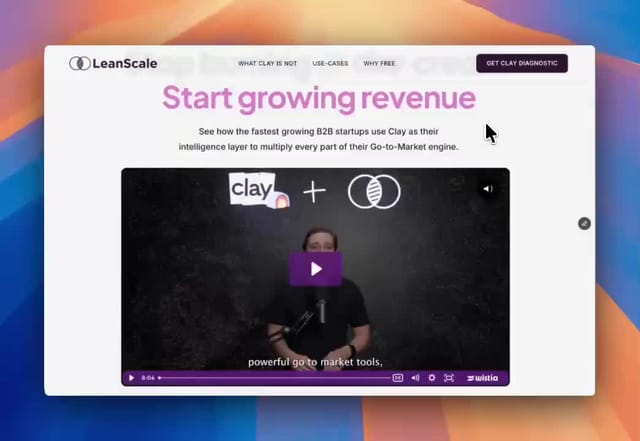
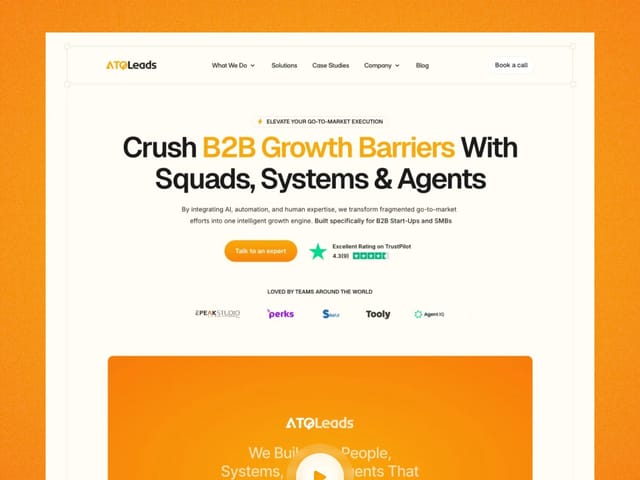
Pick Designify if you're an early-stage startup that needs a site that explains a new product, and you'd rather have one team own the words, design and build. We designed and built Update.ai's site, and we've shipped sites for data and marketing startups such as LeanScale and ATQ Leads.
- Your platform isn't settled. We'll recommend Next.js, Framer or Webflow based on your team and goals, not on what we sell.
- The message needs work. We start with positioning and copy, because design can't rescue an unclear headline.
- You want a fixed price. One price for a defined scope, agreed before we start.
- You need ongoing help later. The retainer is $6,000 a month for design and development, with no hourly tracking.
We're not the best fit for a large enterprise that needs a Webflow Enterprise partner, formal governance and a big team on call. Flowout or a similar specialist is built for that.
What if you're already on Webflow?
Staying on Webflow is often the right call, and we build on it too. If your CMS, your editors and your workflows already live there, moving platforms only makes sense with a clear reason, such as speed, cost, product integration or editing limits that block your team.
Hypothetical example: should a Webflow site move?
For example, suppose a Series A SaaS company runs a 20-page Webflow site with a blog. Marketing edits it weekly and likes the editor, but the product team wants live pricing pulled from the app. Two paths make sense: keep Webflow and add the pricing data through an integration, or move the marketing site to Next.js with a headless CMS.
If editing speed matters most, staying on Webflow wins. If product integration and performance matter most, a code build may be worth it. Migration work is scoped on the intro call, and we include redirects and SEO checks in any migration we take on.
If you're weighing other Webflow specialists, our Flowout alternatives page and the list of best Webflow agencies are useful next reads.